# Primary Device Configuration
### Primary Device Configuration
#### Understanding Primary Devices
A primary device is your most frequently accessed alarm system, receiving:
- Priority connection allocation
- Prominent home screen placement
- Faster response times
#### Setting Your Primary Device
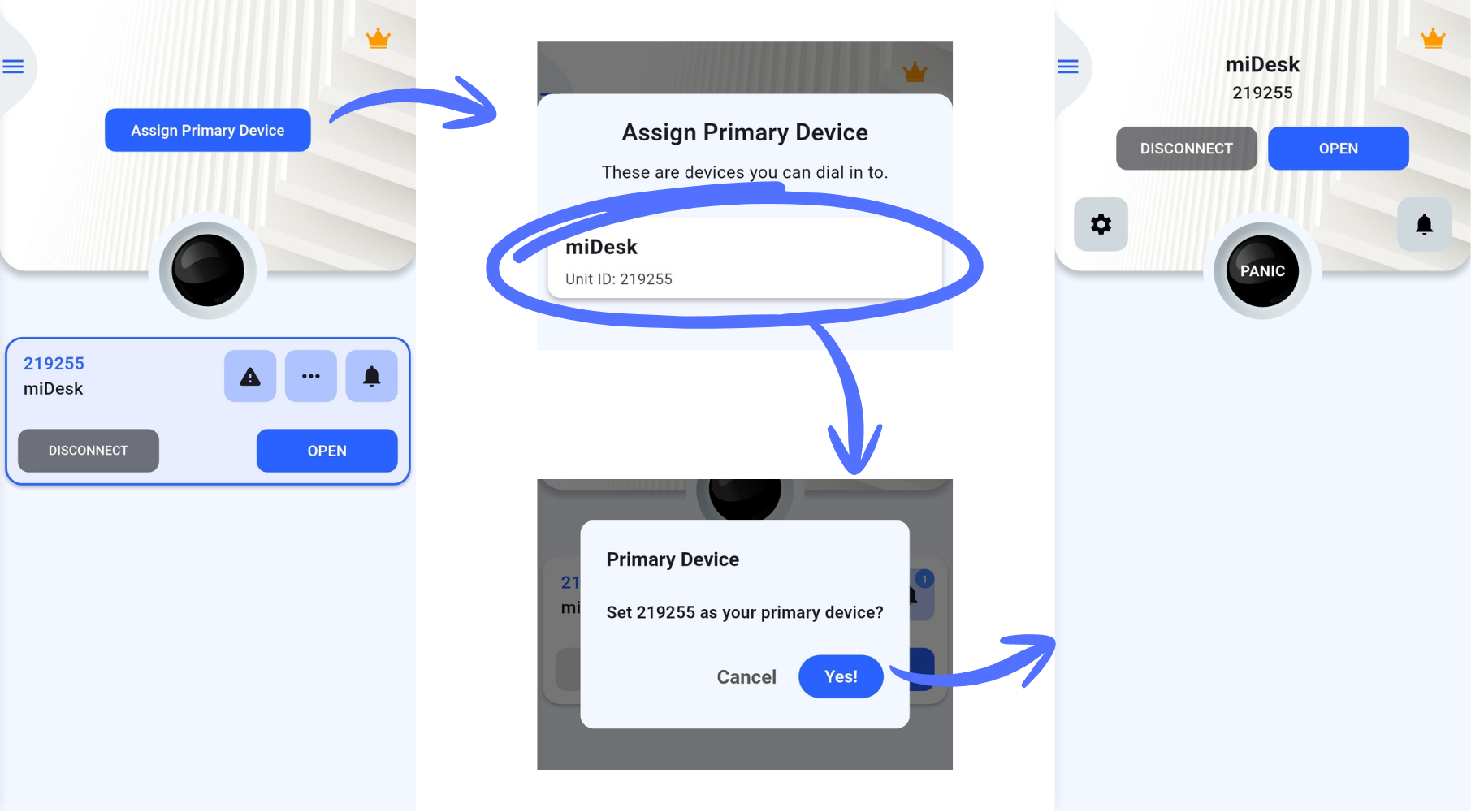
**Method 1: Home Screen Setup**
1. Tap "Assign Primary Device" on the main screen
2. Select your preferred device from the available list
3. Confirm your selection
 **Method 2: Device Settings**
1. Open device settings
2. Navigate to the "Primary" tab
3. Enable "Set as primary device"
4. Confirm the change
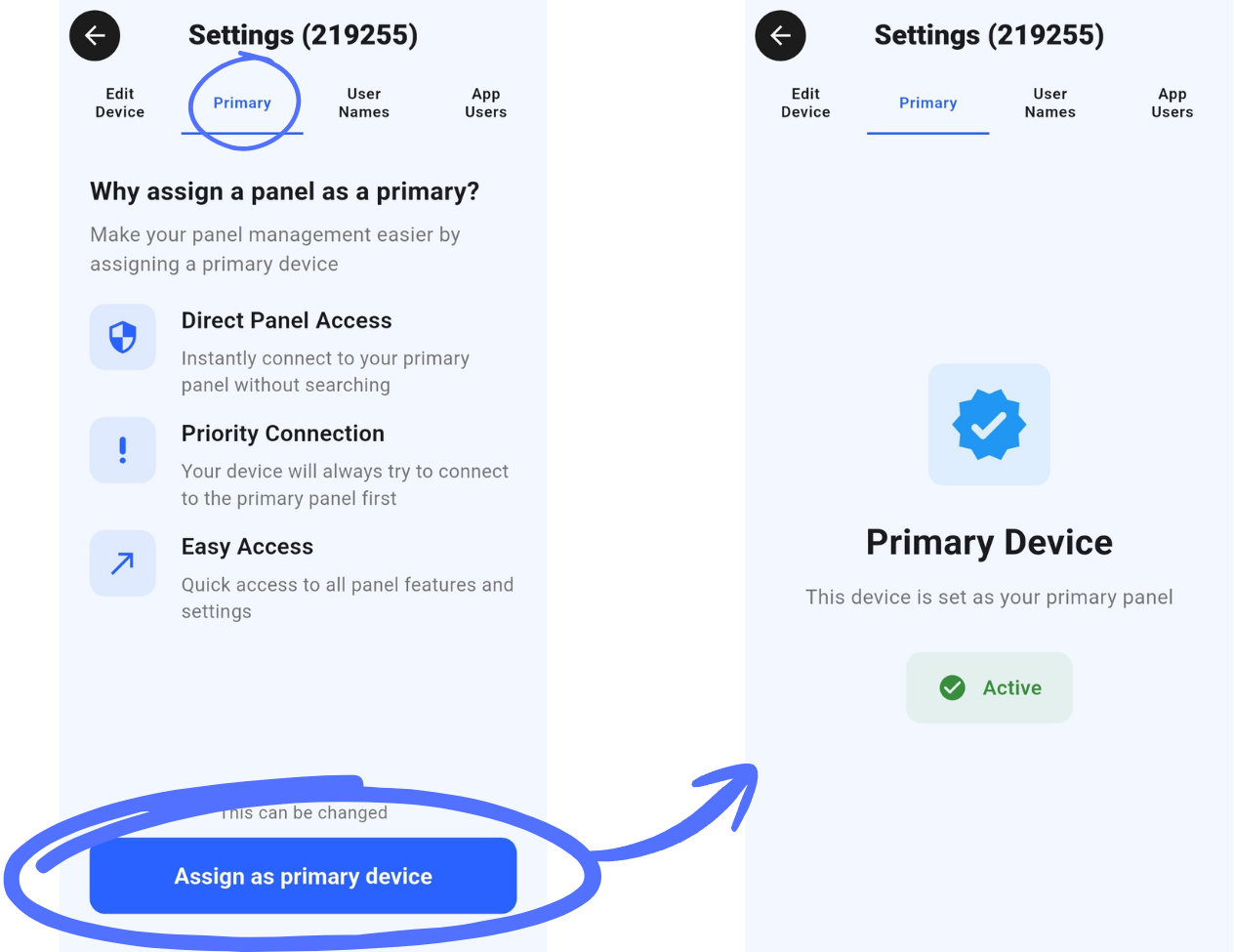
**Method 2: Device Settings**
1. Open device settings
2. Navigate to the "Primary" tab
3. Enable "Set as primary device"
4. Confirm the change
 #### Managing Primary Status
- Only one device can be designated as primary
- Change primary designation at any time
- Remove primary status through device settings
- Visual indicators show current primary device
---
#### Managing Primary Status
- Only one device can be designated as primary
- Change primary designation at any time
- Remove primary status through device settings
- Visual indicators show current primary device
---